🔌 MOS API Overview
MOS provides a fully documented REST API that is used internally by the web interface. The WebUI does not perform direct system actions on its own — it communicates exclusively through the MOS API.
This makes the system:
- Fully automatable
- Scriptable
- Integrable with external tools and services
📖 API Documentation
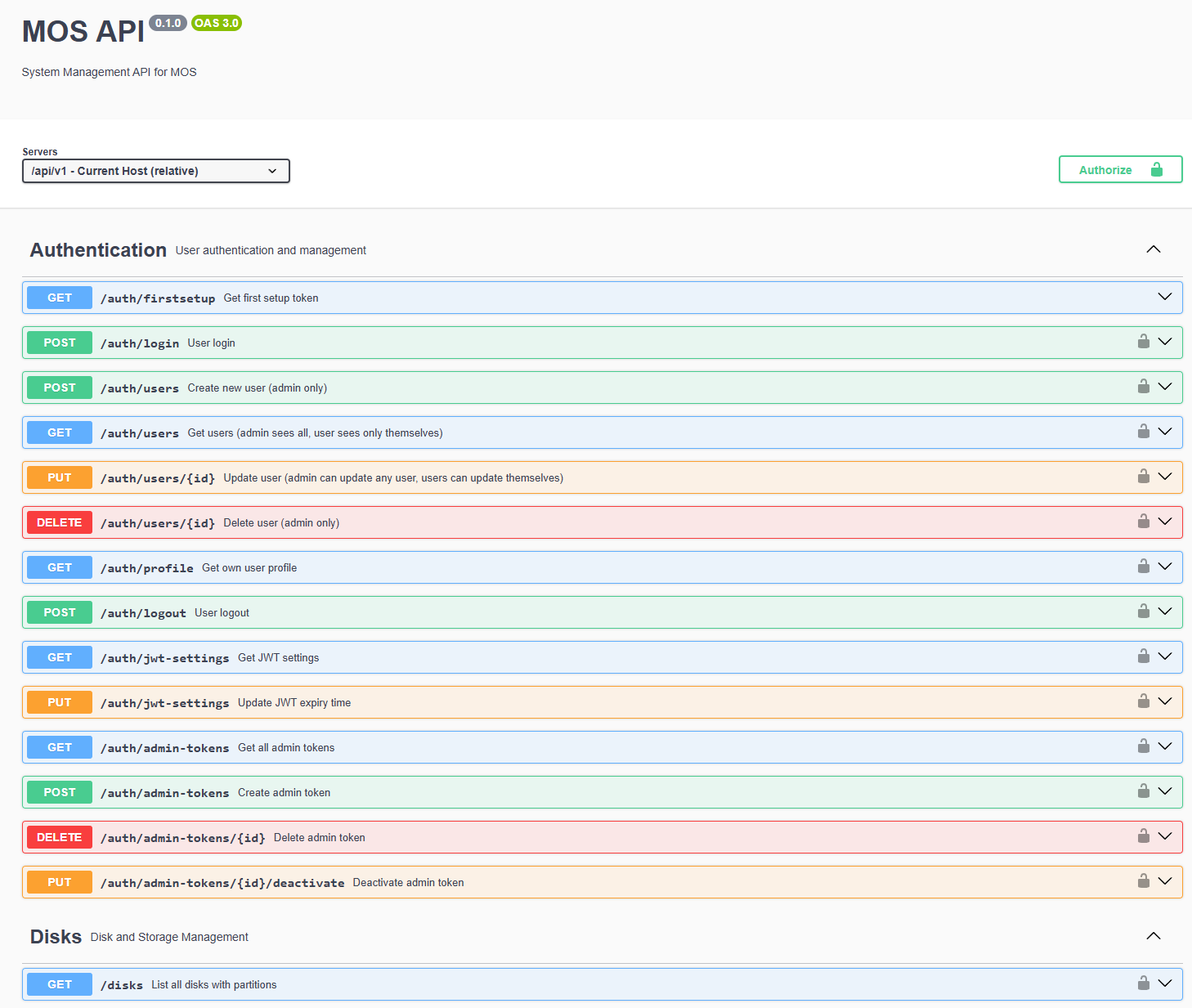
The API documentation is available via the built-in Swagger UI.
Open the following URL in your browser:
http://<MOS-IP>/api-docs/
The API documentation provides:
- A complete list of available endpoints
- Detailed parameter descriptions
- Request and response schemas
- Live execution of API calls
Example:
🏗️ API Structure
The API is organized into logical sections, such as:
- Authentication
- Disks
- Pools
- Shares
- Docker
- LXC
- Virtual Machines
- etc.
Each section groups all related endpoints for that subsystem.
🔐 Authentication & Authorization
Most API endpoints require authentication.
The MOS API uses Bearer Token authentication.
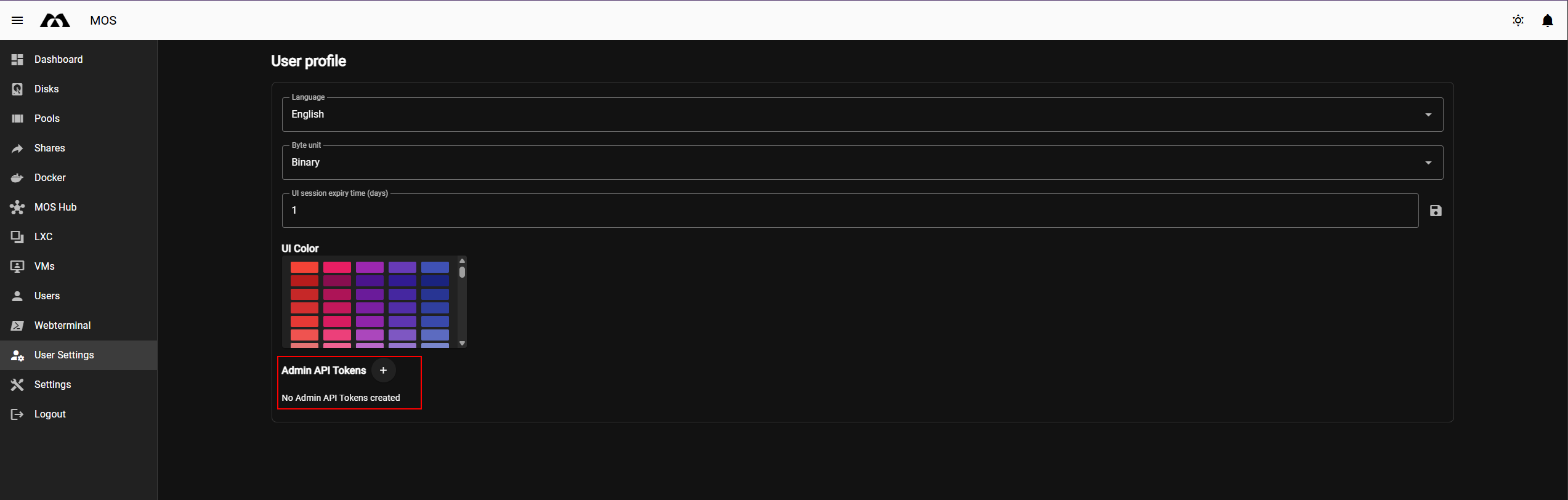
🔑 Creating an API Token
API tokens can be created in the WebUI.
Navigate to:
User Settings → Admin API Tokens
From there you can:
- Create a new API token
- Copy the token value
- Delete existing tokens
Store API tokens securely. Tokens provide administrative access depending on user permissions.
Example:
🔓 Authorizing in the API Docs
The API documentation UI includes an Authorize button.
Steps to authorize:
- Open the API documentation
http://<MOS-IP>/api-docs/
-
Click Authorize
-
Enter the token:

- Confirm authorization
Once authorized:
- Protected endpoints become accessible
- API calls can be executed directly from the documentation UI
▶️ Executing API Calls
After authorization, API endpoints can be executed directly using the Try it out feature.
This allows you to:
- Test API requests
- Inspect live responses
- Understand required parameters
- Explore system behavior safely
Some endpoints support optional parameters, such as:
- Performance metrics
- Filtering
- Standby handling for disks
💾 Example: Disk Listing
The GET /disks endpoint returns a live overview of all detected disks, including:
- Device path
- Model and serial
- Size and power state
- Partition layout
Optional parameters allow controlling:
- Whether performance data is included
- Whether disks in standby should be skipped
- The API uses live system data (no caching)
- Actions performed via the WebUI are equivalent to API calls
- API access respects user permissions and roles
This ensures consistent behavior between:
- Web interface
- API usage
- Automation scripts
Parts of this documentation were created with the assistance of AI tools. All AI-generated content has undergone review, but it may still contain inaccuracies, omissions, or outdated information.