📦 LXC Service
The LXC Service menu controls the global configuration of Linux Containers (LXC).
It allows you to enable or disable the LXC service, configure container networking, and define storage locations for LXC containers.
The LXC Service menu is located under:
Settings → Virtualization → LXC Service
Changes in this section affect all LXC containers on the system.
Example:
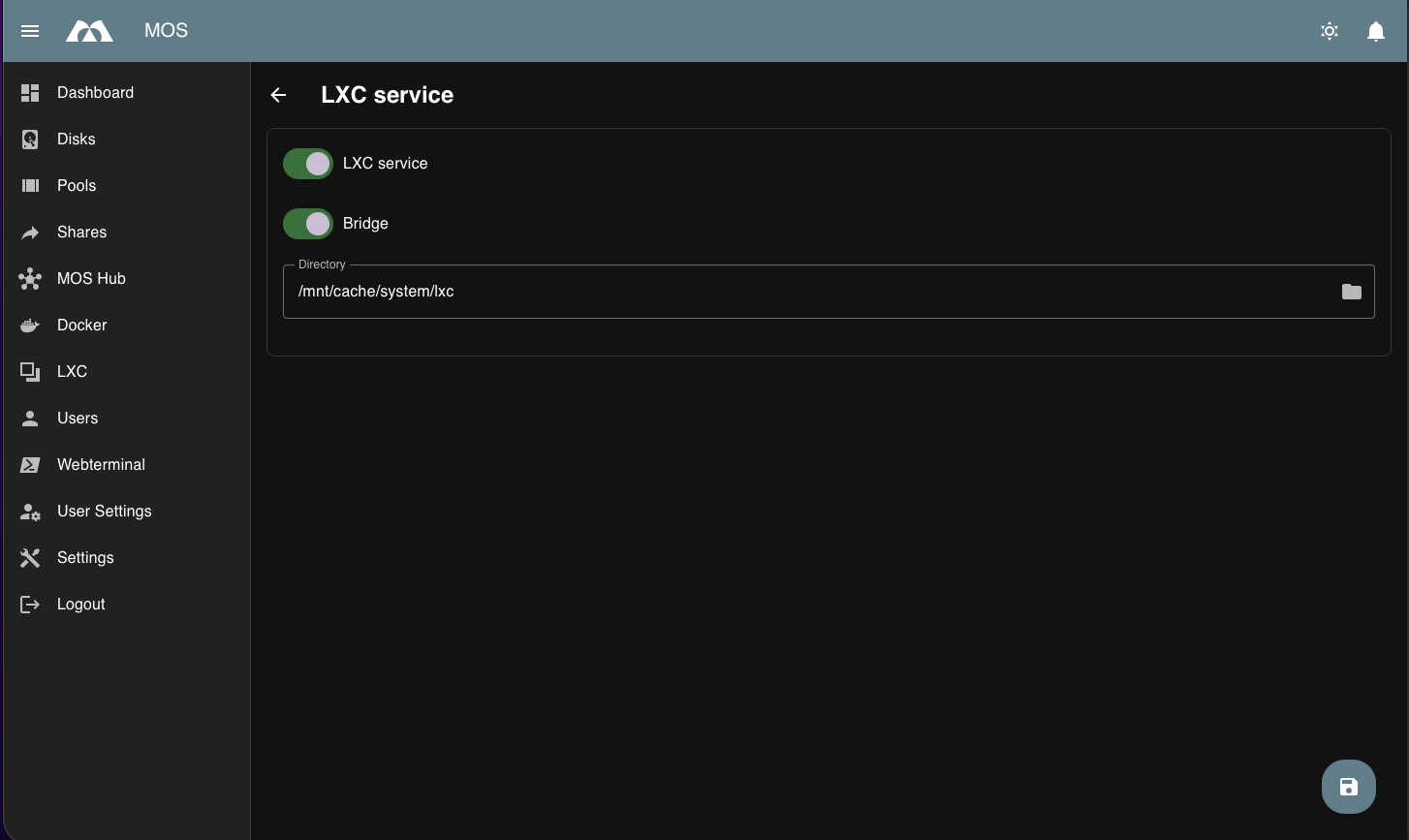
⚙️ LXC Service Configuration
Enable LXC Service
Enables or disables the LXC service.
Enabled:
- LXC containers can be created and started
- LXC management features are available
Disabled:
- All LXC containers are stopped
- No LXC-related services are running
Disabling the LXC service will stop all running LXC containers.
Bridge
Controls whether the LXC network bridge is enabled.
Options:
- Enable
- Disable
Enabled:
- LXC containers are connected via a virtual bridge
- Containers can communicate with each other
- Provides network connectivity for containers
Disabled:
- No bridge-based networking for LXC containers
- Containers may require alternative networking configuration
Bridge mode is recommended for most setups.
LXC Directory
Defines the directory used to store LXC container data.
Purpose:
- Container root filesystems
- Configuration files
- Snapshots and metadata
- Use a fast and reliable storage pool
- Ensure sufficient disk space
- Include this directory in regular backups
💾 Backups & Snapshots
Each LXC container can be managed individually via the Manage button in the container list. This opens a detail view with two tabs:
Backups
The Backups tab shows all created backups for the container.
- Backups are stored as compressed archives
- Each backup captures the container's filesystem and configuration
- Click Create Backup to manually create a backup
- Existing backups can be restored or deleted
Schedule regular backups using Cron Jobs (Settings → System Configuration → Cron Jobs) to automate the backup process.
Snapshots
The Snapshots tab shows all created snapshots for the container.
- Snapshots are point-in-time copies of the container's state
- Creating a snapshot is faster than a full backup
- Snapshots can be used to quickly roll back to a previous state
- Click Create Snapshot to manually create a snapshot
Snapshots require a filesystem that supports them (e.g., btrfs or ZFS). On other filesystems, snapshots may not be available.
📝 Operational Notes
- Network connectivity depends on bridge configuration
- Changes to the LXC directory may require restarting the LXC service
- Existing containers are not moved automatically if the directory is changed
✅ Summary
The LXC Service settings define how Linux Containers operate on the system.
Key points:
- Enable or disable the LXC service
- Control bridge-based container networking
- Define the storage location for LXC containers
Proper configuration ensures stable and predictable LXC container operation.
Parts of this documentation were created with the assistance of AI tools. All AI-generated content has undergone review, but it may still contain inaccuracies, omissions, or outdated information.