📁 Virtual Pools
Virtual Pools allow you to combine multiple existing directories or storage paths into a single logical pool using mergerfs. Unlike regular storage pools that require dedicated physical disks, Virtual Pools use paths that already exist on mounted pools or other storage locations.
This is useful for consolidating data spread across multiple pools, shares, or mount points into a single unified view — without reformatting or moving any data.
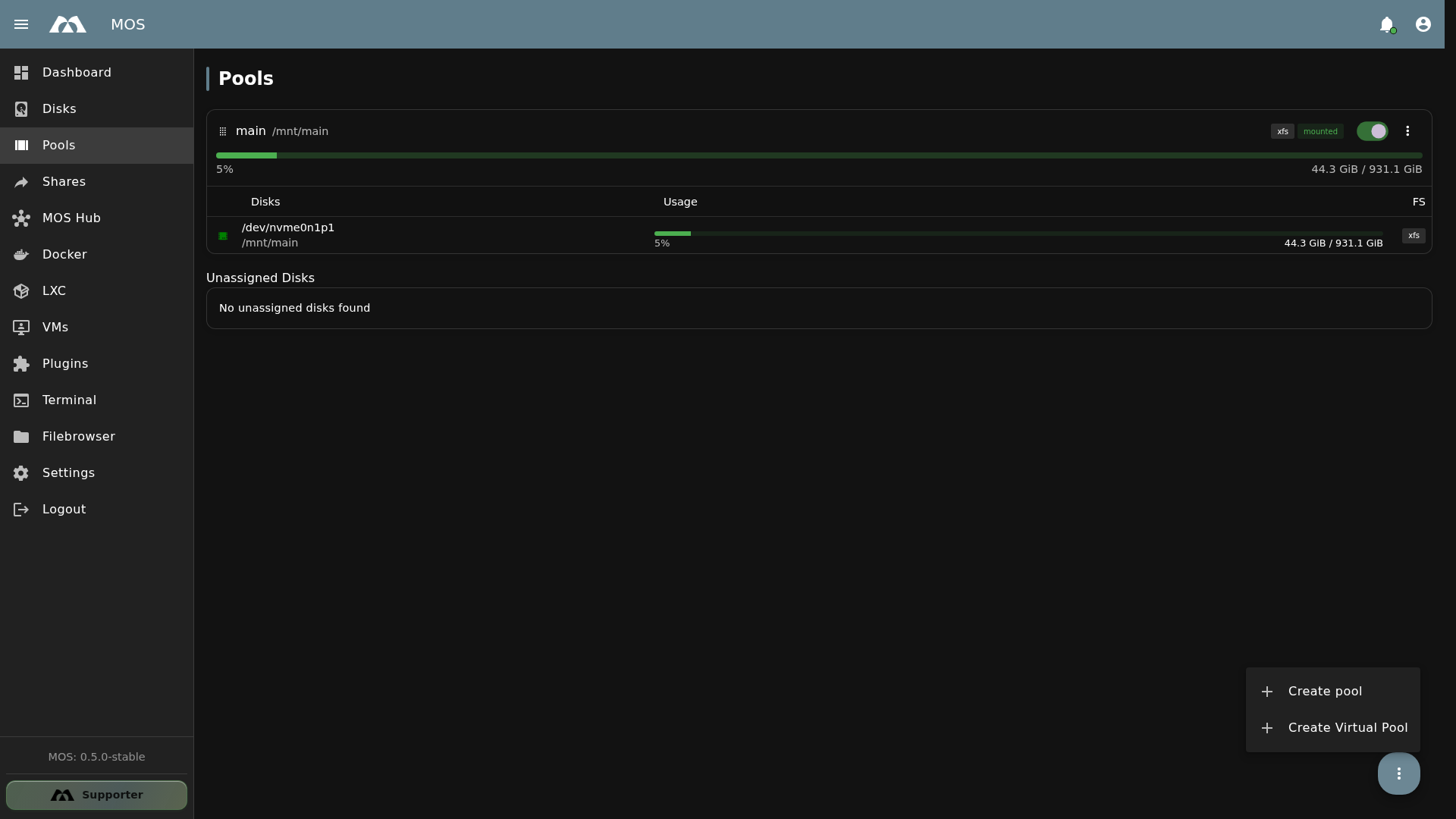
The Pools page with the option to create a regular pool or a Virtual Pool.
📦 Accessing Virtual Pools
Virtual Pools are managed from the Pools page.
- Navigate to Pools in the sidebar
- Click the + (floating action button) in the bottom-right corner
- Select Create Virtual Pool
Regular pools (Create pool) and Virtual Pools (Create Virtual Pool) are separate creation flows. Regular pools use physical disks, while Virtual Pools use existing directory paths.
➕ Creating a Virtual Pool
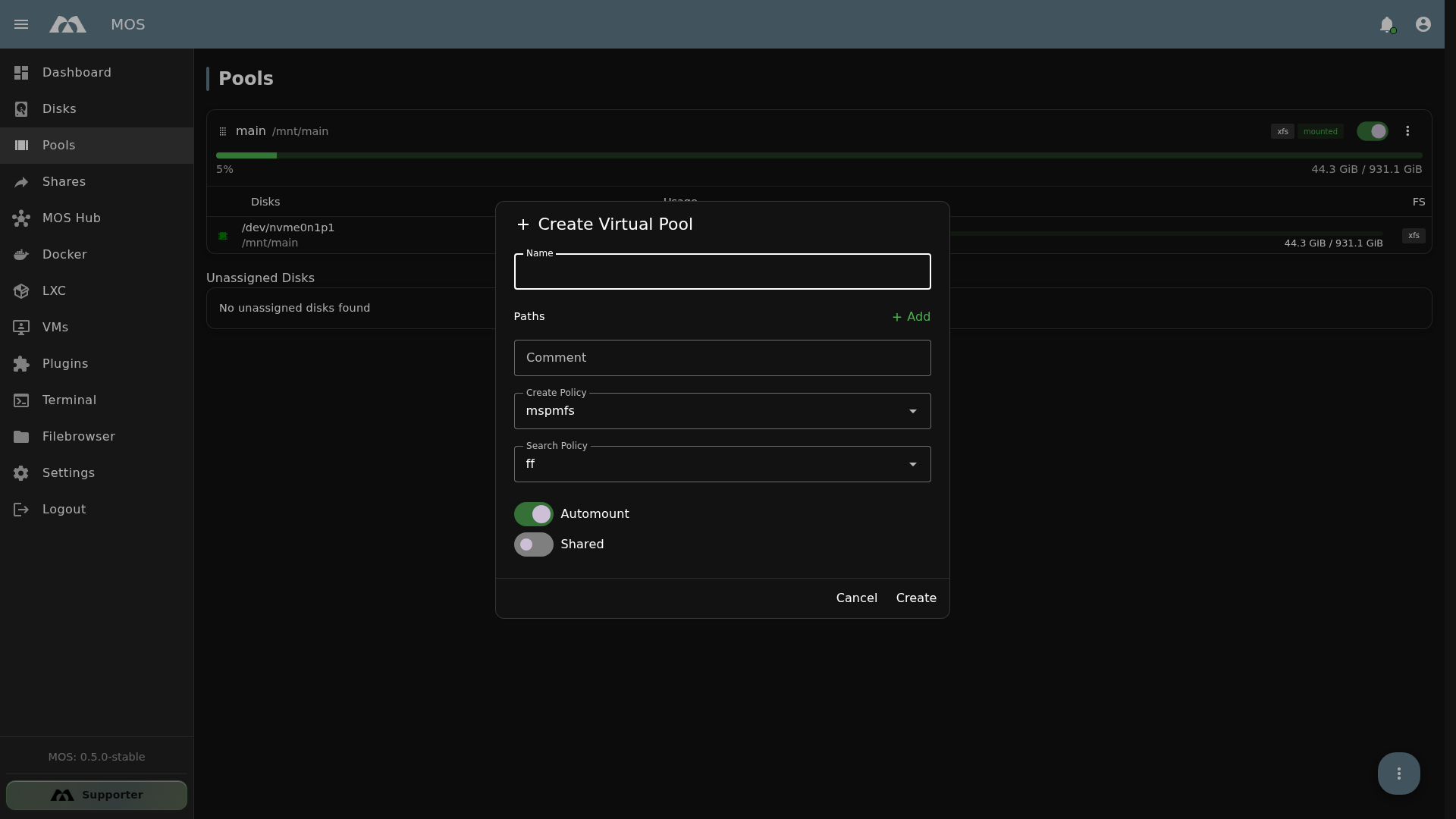
The Create Virtual Pool dialog with default values.
Configuration Fields
| Field | Type | Default | Description |
|---|---|---|---|
| Name | Text | — | Name of the Virtual Pool. Used for the mount point (e.g., vpool → /mnt/vpool). |
| Paths | Text + Add | — | One or more existing directory paths to combine (e.g., /mnt/main, /mnt/media). Click Add to add multiple paths. |
| Comment | Text | mspmfs | Optional comment or description for the pool. |
| Create Policy | Dropdown | mspmfs | mergerfs policy for distributing new files across paths — see Create Policies. |
| Search Policy | Dropdown | ff | mergerfs policy for finding existing files across paths — see Search Policies. |
| Automount | Toggle | On | Automatically mount the Virtual Pool during system startup. |
| Shared | Toggle | On | Make the pool available as a network share. |
| Cancel / Create | Button | — | Cancel or create the Virtual Pool. |
Paths
The Paths field is the core of a Virtual Pool. You add existing directories that should be combined:
- Enter a path (e.g.,
/mnt/main) - Click Add to add it to the list
- Repeat for additional paths (e.g.,
/mnt/media,/mnt/backup)
All files from all added paths will appear as a single unified directory structure under the Virtual Pool mount point.
You can add paths from different physical pools. For example, combine /mnt/main/media and /mnt/backup/media into a single Virtual Pool for a unified media directory.
📋 Policies
mergerfs uses policies to determine how files are distributed and found across the configured paths. MOS exposes two policy categories for Virtual Pools:
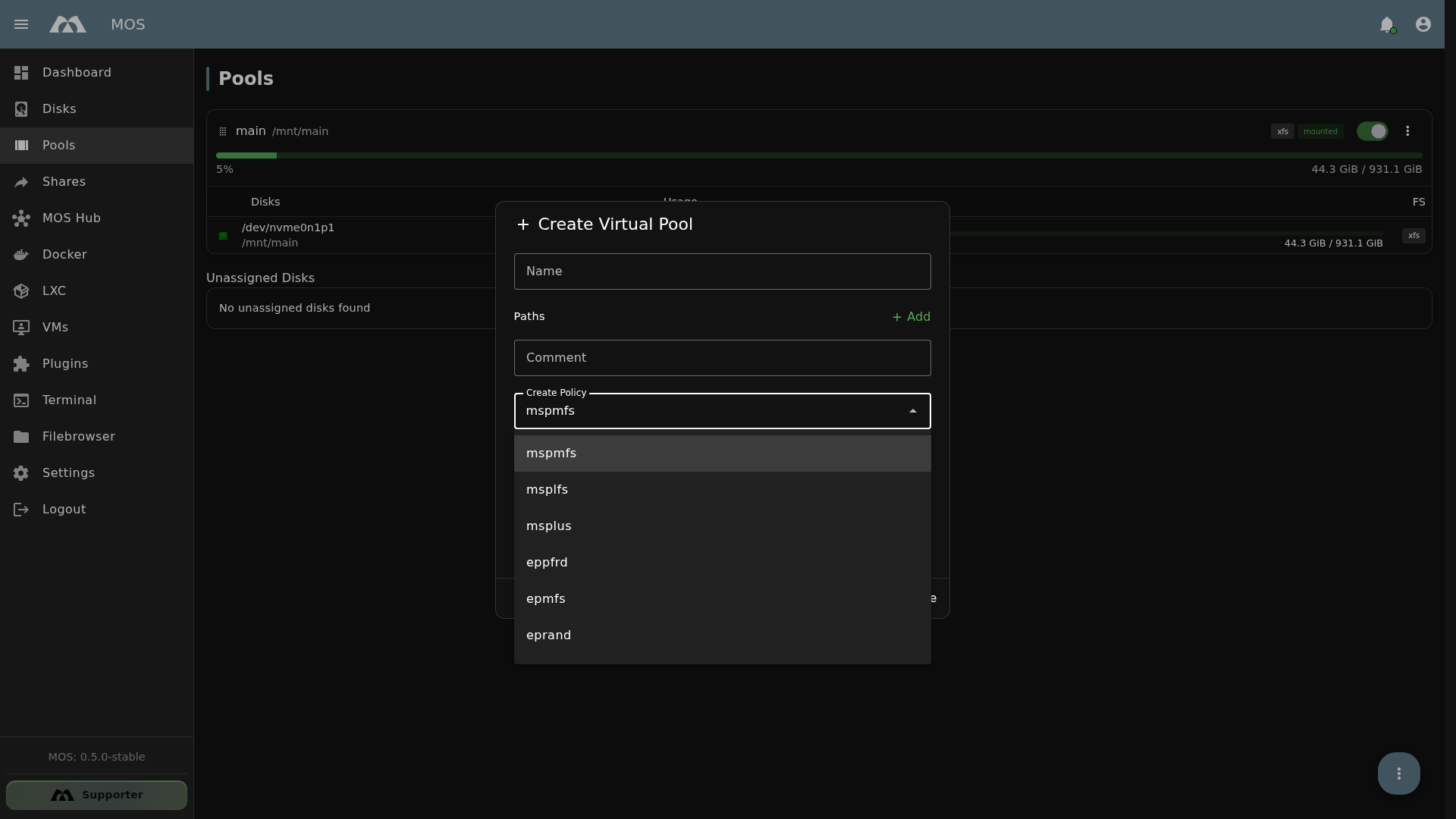
The Create Policy dropdown with all available mergerfs policies.
Create Policy
The Create Policy determines which path receives a new file when it is written to the Virtual Pool. MOS offers 20 policies, including:
- Non-path-preserving (
pfrd,rand,mfs,ff,lfs,lup,lus,all,newest) — consider all paths regardless of existing directory structure - Path-preserving (msp) (
msppfrd,mspmfs,msplfs,msplus) — prefer paths where the target directory already exists - Existing path (ep) (
eppfrd,epmfs,eprand,epff,eplfs,eplus,epall) — strictly require the target directory to exist on a path
Default: mspmfs (Most Similar Path, Most Free Space)
Search Policy
The Search Policy determines which copy of an existing file is read when the file exists on multiple paths. MOS offers 5 policies:
| Policy | Full Name | Description |
|---|---|---|
ff | First Found | Returns the first path where the file exists (in configured order). Default. |
lfs | Least Free Space | Picks the copy on the path with the least free space. |
lus | Least Used Space | Picks the copy on the path with the least used space. |
all | All | Returns all paths where the file exists. Used for action operations. |
newest | Newest | Picks the copy with the most recent modification time. |
Default: ff (First Found)
Full Policy Reference
For a complete description of all available mergerfs policies, their behavior, and when to use each one, see the official mergerfs documentation:
👉 mergerfs – Policy Descriptions
Policy Recommendations
| Use Case | Recommended Policy | Why |
|---|---|---|
| General use | pfrd | Even distribution, no path overload |
| Keep related files together | mspmfs (default) | Path-preserving + most free space |
| Maximize capacity | mfs | Always uses the path with most space |
| Simple, predictable | ff | First path in order |
| Balance fill levels | lfs | Fills paths sequentially |
If unsure, use the default mspmfs. It keeps directory structures together on the same path while distributing new files to the path with the most free space.
🧠 How Virtual Pools Work
Architecture
Virtual Pool: /mnt/vpool
        │
        ├── mergerfs (merges paths transparently)
        │
        ├── Path 1: /mnt/main    (xfs, 931 GB)
        ├── Path 2: /mnt/media    (mergerfs, 60 TB)
        └── Path 3: /mnt/backup  (xfs, 12 TB)

Result: All files from all 3 paths appear under /mnt/vpool/
Read/Write Behavior
- Writing new files: The Create Policy decides which path receives the file
- Reading existing files: The Search Policy decides which copy is read (if duplicates exist)
- Directory listing: All files from all paths are merged into a single view
- No data movement: Existing files stay where they are — no data is moved or copied
Difference from Regular mergerfs Pools
| Feature | Regular mergerfs Pool | Virtual Pool |
|---|---|---|
| Uses | Physical disks | Existing directory paths |
| Disks required | Yes — dedicated disks | No — uses existing mounts |
| Paths | Disk mount points | Any existing directory |
| Filesystem | Formatted on creation | Uses existing filesystems |
| Flexibility | One pool per set of disks | Combine paths from multiple pools |
| Use case | New storage from disks | Consolidate existing storage |
⚡ When to Use Virtual Pools
| Scenario | Recommended? | Why |
|---|---|---|
| Combine media from multiple pools | ✅ Yes | Unified media directory without moving files |
| Consolidate shares | ✅ Yes | Multiple shares appear as one |
| Migrate data gradually | ✅ Yes | Add new pool path, files distribute automatically |
| Mixed disk sizes | ✅ Yes | mergerfs handles different sizes natively |
| Need redundancy | ⚠️ With SnapRAID | Virtual Pools don't provide parity — use SnapRAID separately |
| Need ZFS features | ❌ No | Use a ZFS pool instead |
| Need block storage | ❌ No | Virtual Pools are file-level (mergerfs), not block-level |
⚠️ Important Notes
Virtual Pools do not provide data redundancy. If a path fails, all files stored on that path are lost. Use SnapRAID or external backups for data protection.
- No data duplication — Virtual Pools merge views, they don't mirror data
- Path order matters — For
ff(First Found) policies, the order of paths affects which copy is used - Existing files stay — Creating a Virtual Pool does not move or copy any existing files
- Removal is safe — Removing a Virtual Pool unmounts it but does not delete underlying data
- mergerfs overhead — Virtual Pools add a small overhead for file operations due to the FUSE layer
📚 Best Practices
- Use meaningful names — Name Virtual Pools clearly (e.g.,
media-vpool,archive-vpool) - Start with default policies —
mspmfs(Create) andff(Search) work well for most use cases - Add paths from different pools — Combine paths from separate physical pools for maximum flexibility
- Enable Automount — Ensure the Virtual Pool mounts automatically after reboot
- Use SnapRAID for parity — If data protection is needed, configure SnapRAID separately
- Monitor path usage — Check individual path usage regularly to avoid filling up one path
- Order paths deliberately — For
ffpolicies, put faster storage first for better read performance
✅ Summary
Virtual Pools provide a flexible way to combine existing storage paths into a single logical pool using mergerfs.
Key points:
- No dedicated disks needed — uses existing directory paths
- 20 Create Policies — control how new files are distributed (default:
mspmfs) - 5 Search Policies — control how existing files are found (default:
ff) - No data movement — files stay where they are, only the view is merged
- Automount and Sharing — toggle on for automatic startup and network access
- No redundancy — use SnapRAID or backups for data protection
- Ideal for consolidating — combine media, shares, or data from multiple pools
Virtual Pools are perfect for homelab and server setups where storage is spread across multiple pools and needs to be presented as a single unified directory.
Parts of this documentation were created with the assistance of AI tools. All AI-generated content has undergone review, but it may still contain inaccuracies, omissions, or outdated information.