🖥️ PCI Devices
The PCI Devices page displays all PCI and PCIe devices detected on the MOS system. This includes internal controllers, bridges, graphics adapters, network interfaces, and other hardware components connected via the PCI bus. The information is useful for hardware identification, driver troubleshooting, and device passthrough configuration.
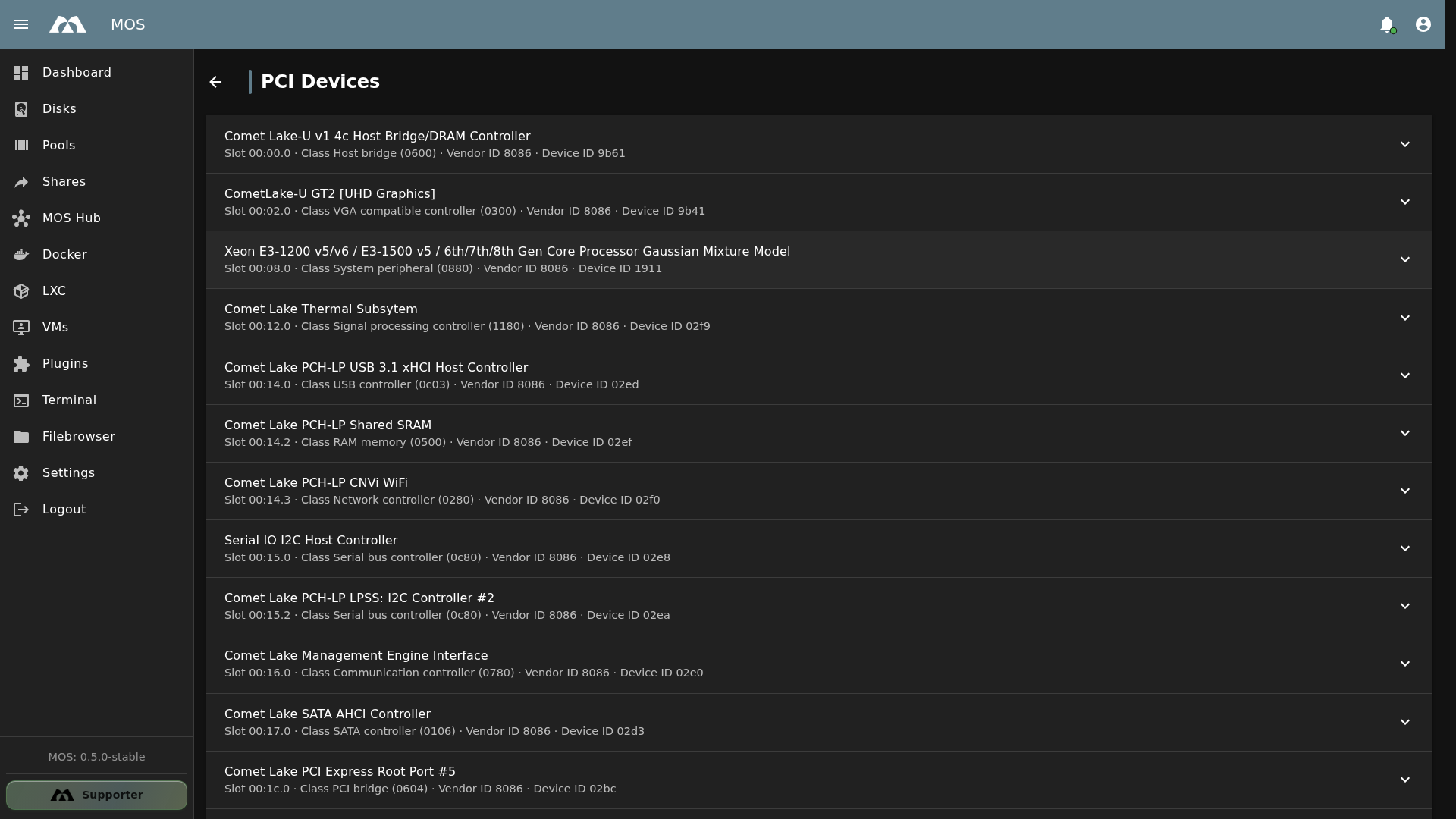
The PCI Devices page showing detected PCI hardware.
📦 Accessing PCI Devices
The PCI Devices page is available under the Hardware section in Settings.
- Navigate to Settings in the sidebar
- Go to Hardware → PCI Devices
The PCI Devices page is read-only. It displays detected devices automatically — no configuration is required.
🗂️ Device Information
Each PCI device entry displays the following information:
| Field | Description |
|---|---|
| Device Name | Manufacturer and device description (e.g., Comet Lake SATA AHCI Controller) |
| Slot | PCI bus address (e.g., 00:17.0 = bus 00, device 17, function 0) |
| Class | PCI device class code and description (e.g., SATA controller (0106)) |
| Vendor ID | PCI vendor identifier (e.g., 8086 = Intel Corporation) |
| Device ID | PCI device identifier (e.g., 02d3) |
📋 Common PCI Device Classes
| Class Code | Description | Examples |
|---|---|---|
0600 | Host bridge | CPU-to-memory controller |
0300 | VGA compatible controller | Integrated or discrete GPU |
0106 | SATA controller | Disk storage interface |
0c03 | USB controller | xHCI USB host controller |
0280 | Network controller | Wi-Fi, Ethernet adapters |
0604 | PCI bridge | PCIe root ports |
0601 | ISA bridge | LPC/eSPI controller |
0403 | Audio device | Intel cAVS, HD Audio |
0780 | Communication controller | Management Engine Interface |
0c80 | Serial bus controller | I2C, SPI controllers |
⚡ Use Cases
- Identify hardware — Check which controllers and interfaces are present on the system
- Troubleshoot driver issues — Verify devices are detected before configuring drivers or plugins
- GPU passthrough — Find the PCI slot and vendor/device ID for GPU passthrough to VMs
- Network identification — Identify onboard network controllers and Wi-Fi adapters
- Storage verification — Confirm SATA/NVMe controllers are properly detected
- Diagnostics reference — Cross-reference with
lspcioutput when troubleshooting
🔧 Technical Details
Slot Addressing
PCI slot addresses follow the format BB:DD.F:
| Component | Description | Example |
|---|---|---|
Bus (BB) | PCI bus number | 00 |
Device (DD) | Device number on the bus | 17 |
Function (F) | Function number (for multi-function devices) | 0 |
When configuring PCI passthrough for VMs, you need the full slot address (e.g., 00:02.0 for the GPU). Use this page to find the correct address for each device.
Common Vendor IDs
| Vendor ID | Manufacturer |
|---|---|
8086 | Intel Corporation |
10de | NVIDIA Corporation |
1002 | AMD / ATI |
14e4 | Broadcom |
10ec | Realtek |
1af4 | Red Hat (virtio) |
📚 Best Practices
- Check before driver installation — Verify the device appears here before installing drivers or plugins (e.g., NVIDIA GPU plugin)
- Note slot addresses — PCI passthrough to VMs requires exact slot addresses
- Identify onboard vs. discrete — Devices on bus
00are typically onboard/integrated; higher bus numbers may indicate discrete PCIe cards - Cross-reference with lspci — For detailed troubleshooting, compare this list with
lspci -nnoutput in the Web Terminal
Do not attempt to remove or disable PCI devices from the system while it is running. Hardware changes should be made with the system powered off.
✅ Summary
The PCI Devices page provides a comprehensive overview of all PCI hardware on the system.
Key points:
- Automatic detection — all PCI/PCIe devices are listed without configuration
- Detailed identification — slot addresses, class codes, vendor and device IDs
- Read-only — for inspection and troubleshooting only
- Essential for passthrough — slot addresses needed for VM PCI passthrough configuration
- Driver troubleshooting — verify hardware detection before installing drivers
Parts of this documentation were created with the assistance of AI tools. All AI-generated content has undergone review, but it may still contain inaccuracies, omissions, or outdated information.