🔗 iSCSI Initiator
The iSCSI Initiator allows MOS to connect to remote iSCSI targets and access their block storage as if it were locally attached. This is useful for connecting to external storage servers, SANs (Storage Area Networks), or other MOS instances that expose iSCSI targets.
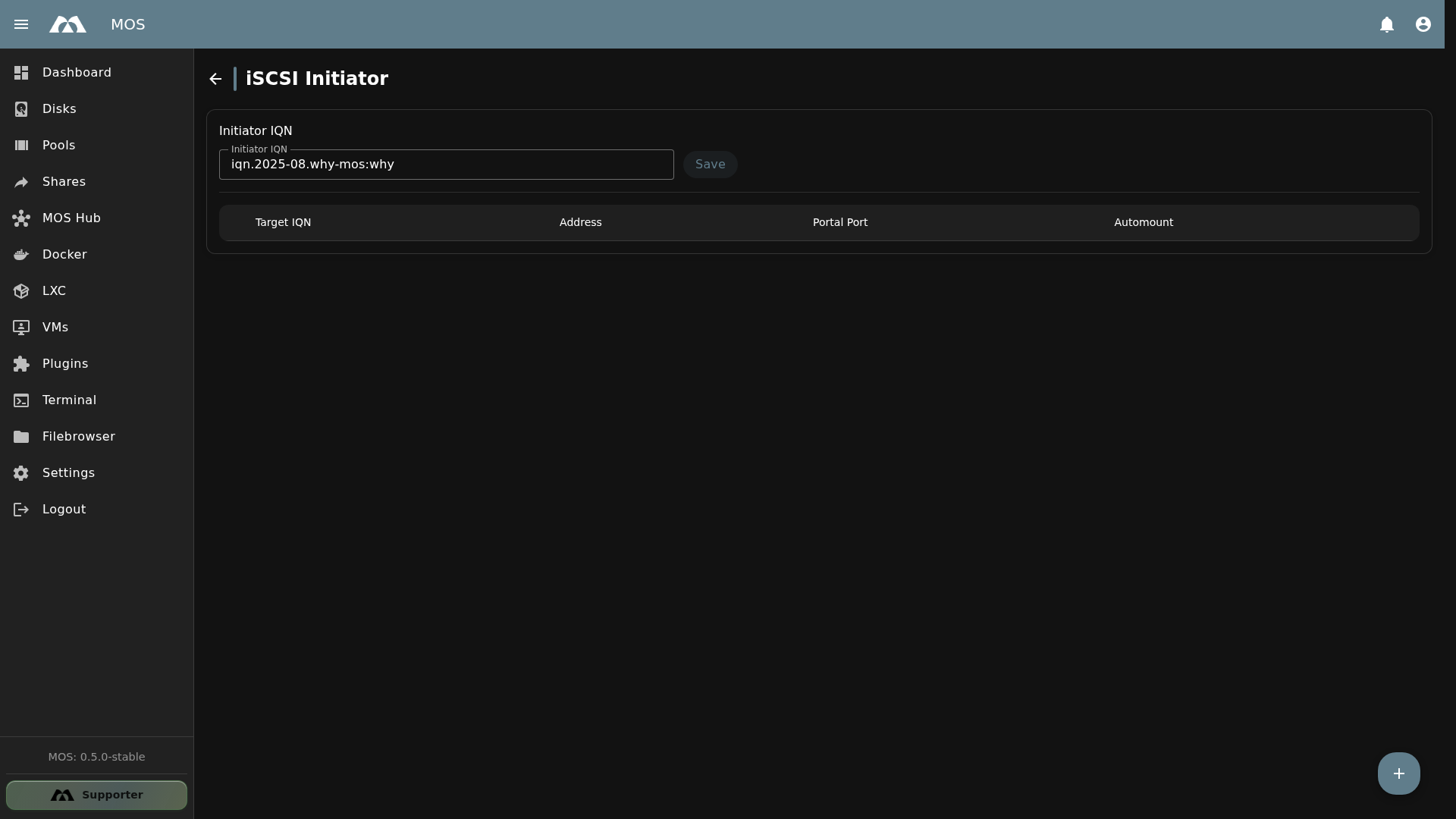
The iSCSI Initiator configuration page.
📦 Accessing iSCSI Initiator
The iSCSI Initiator configuration is available under Settings.
- Navigate to Settings in the sidebar
- Go to Network → iSCSI Initiator
⚙️ Configuration
Initiator IQN
The Initiator IQN identifies this MOS server to iSCSI targets. It is pre-populated with a unique value based on the system.
| Field | Type | Default | Description |
|---|---|---|---|
| Initiator IQN | Text | Auto-generated | The iSCSI Qualified Name that identifies this initiator to targets |
| Save | Button | — | Saves the Initiator IQN |
The Initiator IQN is auto-generated and typically does not need to be changed. However, if you need a specific IQN format, you can edit it and click Save.
IQN Format
The iSCSI Qualified Name follows the format:
iqn.YYYY-MM.reverse-domain:name
Example: iqn.2025-08.why-mos:why
When connecting to a remote target, the target server must add this IQN to its Allowed Initiators list (if access control is enabled).
➕ Adding a Target Connection
Click the + (floating action button) to add a remote iSCSI target to connect to.
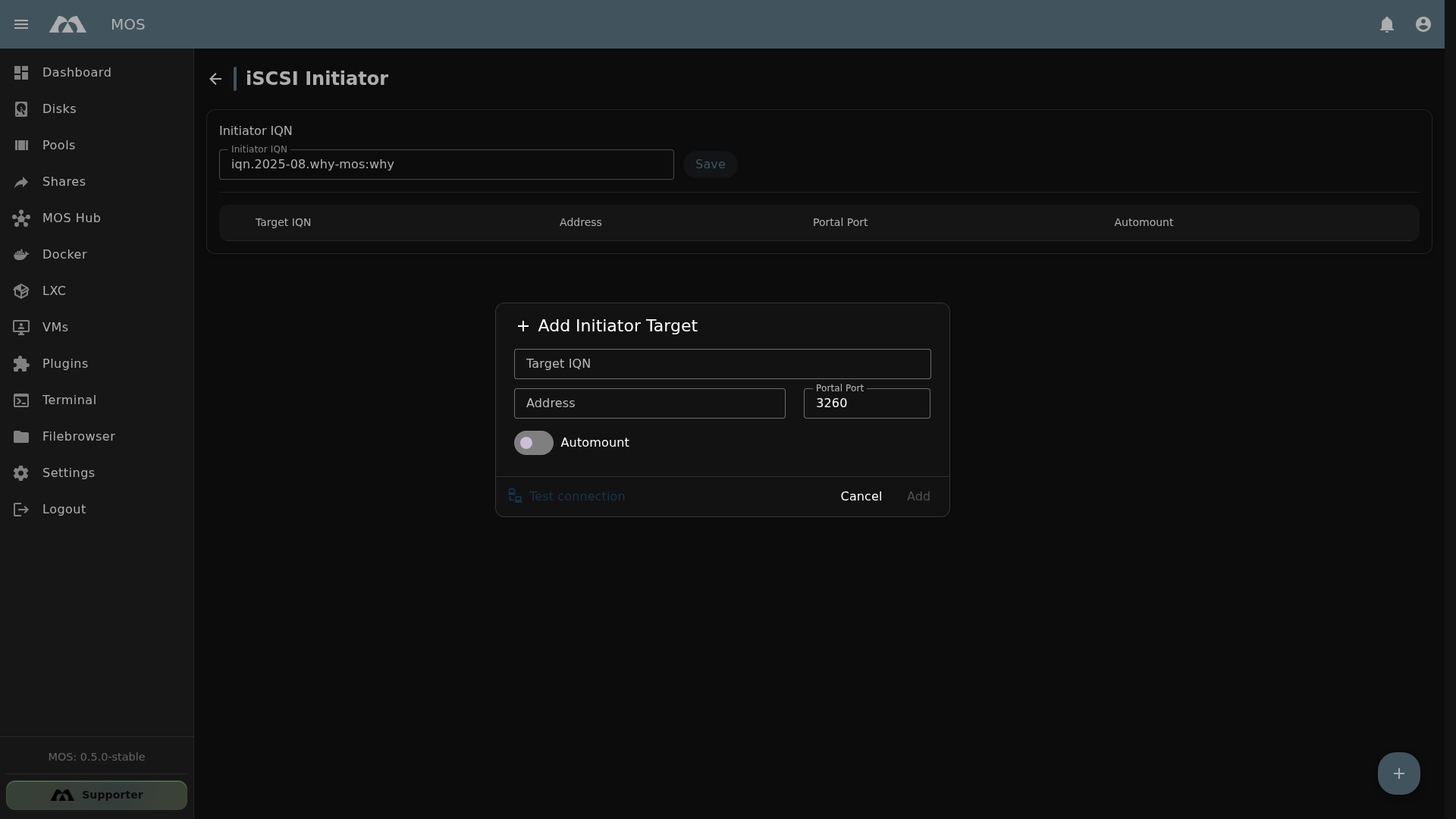
The Add Initiator Target dialog.
Configuration Fields
| Field | Type | Default | Description |
|---|---|---|---|
| Target IQN | Text | — | The IQN of the remote iSCSI target to connect to |
| Address | Text | — | IP address or hostname of the remote iSCSI server |
| Portal Port | Text | 3260 | Port of the remote iSCSI target (default: 3260) |
| Automount | Toggle | On | Automatically connect to the target during system startup |
| Test connection | Button | — | Tests the connection to the remote target before adding |
| Cancel / Add | Button | — | Cancel or add the target connection |
Target List
Once targets are added, they appear in the target table:
| Column | Description |
|---|---|
| Target IQN | The IQN of the remote target |
| Address | IP address or hostname of the remote server |
| Portal Port | Port number (default: 3260) |
| Automount | Whether the connection is established automatically on boot |
🔧 Connecting to a Target
Step-by-Step
- Obtain the Target IQN and Address from the remote iSCSI server administrator
- Click + to add a new target connection
- Enter the Target IQN (e.g.,
iqn.2026-01.net.mos-official:target1) - Enter the Address (IP or hostname of the remote server)
- Verify the Portal Port (default:
3260) - Click Test connection to verify connectivity
- Enable Automount if the connection should be established on every boot
- Click Add to save the connection
Always click Test connection before adding a target. This verifies that the remote server is reachable and the IQN is correct, preventing configuration errors.
After Connecting
Once connected, the remote iSCSI storage appears as a local block device (e.g., /dev/sdb). You can then:
- Format it with a filesystem (
mkfs.xfs /dev/sdb) - Create a storage pool from it in the MOS Pools page
- Use it as a Docker volume or LXC backing store
🌐 Use Cases
| Use Case | Description |
|---|---|
| Remote storage | Connect to a NAS or SAN that exposes iSCSI targets |
| MOS-to-MOS | Connect one MOS server's iSCSI Target to another MOS server's Initiator |
| Shared LVM | Connect multiple servers to the same LUN with a cluster filesystem |
| VM migration | Store VM disks on iSCSI storage for live migration between hosts |
| Backup target | Use remote iSCSI storage as a backup destination |
⚠️ Important Notes
- One initiator per LUN — Do not connect multiple initiators to the same LUN unless using a cluster filesystem
- Network requirements — The MOS server must be able to reach the remote target on the configured port (default:
3260) - Firewall — Ensure outbound traffic to the remote iSCSI server is allowed
- IQN must match — The remote target must have this server's Initiator IQN in its Allowed Initiators list (if access control is enabled)
- Automount — When enabled, the connection is established during boot. Ensure the remote server is available before MOS starts
📚 Best Practices
- Test before adding — Always use the Test connection button to verify connectivity
- Enable Automount — For persistent storage that should always be available
- Use static IPs — Configure the remote iSCSI server with a static IP to prevent connection issues
- Dedicated network — For best performance, use a dedicated network for iSCSI traffic
- Monitor connections — Check the target list periodically to ensure connections are active
- Match IQNs — Ensure the Initiator IQN on this server matches the Allowed Initiators on the target server
✅ Summary
The iSCSI Initiator enables MOS to connect to remote iSCSI targets and access their block storage.
Key points:
- Initiator IQN — auto-generated, identifies this server to targets
- Target connections — add remote targets with IQN, address, and port
- Test connection — verify connectivity before adding
- Automount — automatically connect on system boot
- Default port 3260 — standard iSCSI port
- Block device — connected storage appears as a local block device
iSCSI Initiator is ideal for extending MOS storage with remote block devices from SANs, NAS, or other MOS servers.
Parts of this documentation were created with the assistance of AI tools. All AI-generated content has undergone review, but it may still contain inaccuracies, omissions, or outdated information.