🎯 iSCSI Target
The iSCSI Target feature allows MOS to share block-level storage over the network using the iSCSI (Internet Small Computer Systems Interface) protocol. This enables remote systems to access storage on the MOS server as if it were a locally attached disk.
iSCSI is commonly used for:
- Sharing storage to VMs (as virtual disks)
- Providing block storage to other servers
- Centralized storage management in homelab environments
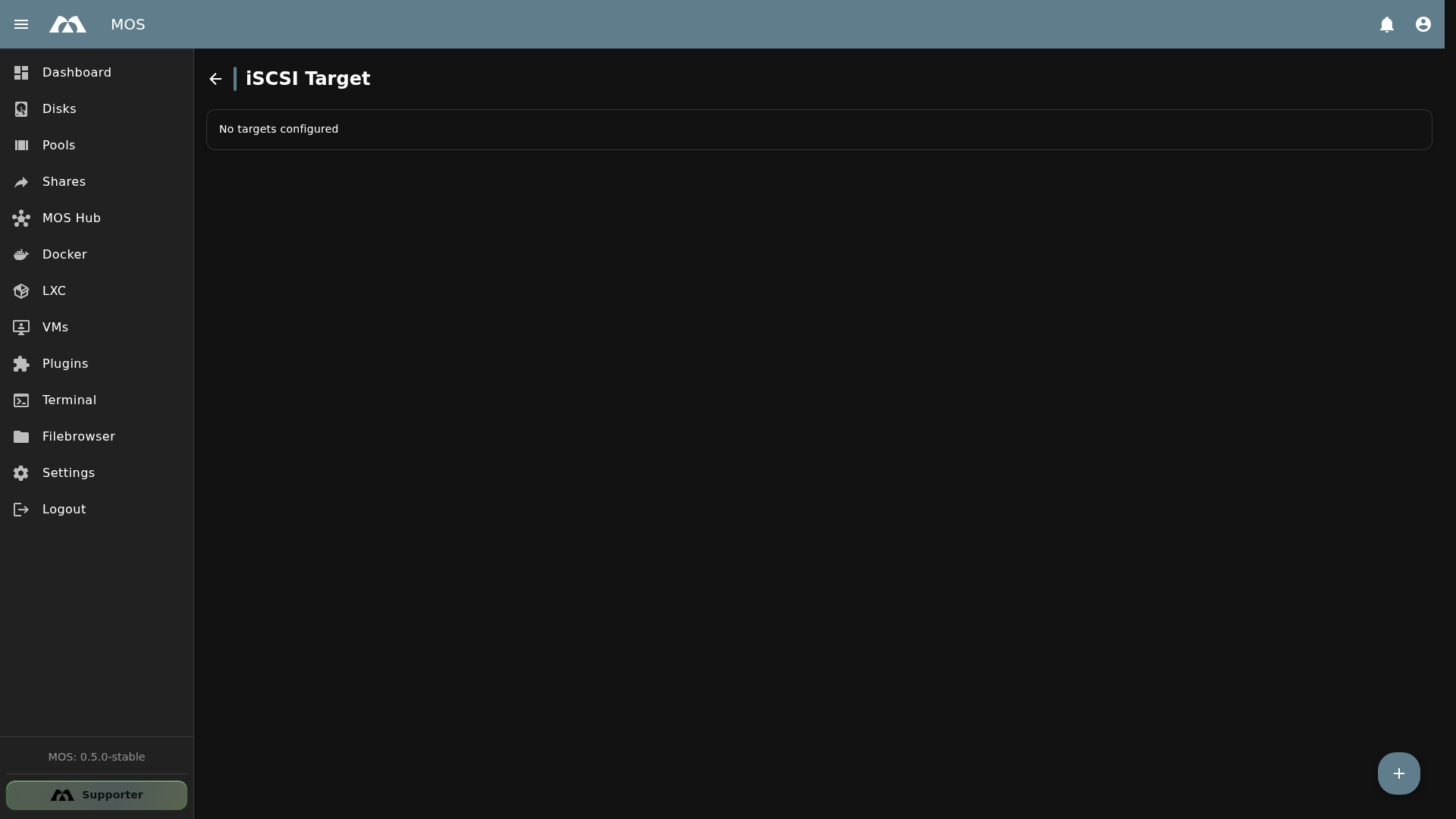
The iSCSI Target page with no targets configured.
📦 Accessing iSCSI Target
The iSCSI Target configuration is available under Settings.
- Navigate to Settings in the sidebar
- Go to Network → iSCSI Target
➕ Creating an iSCSI Target
Click the + (floating action button) in the bottom-right corner to open the Add Target dialog.
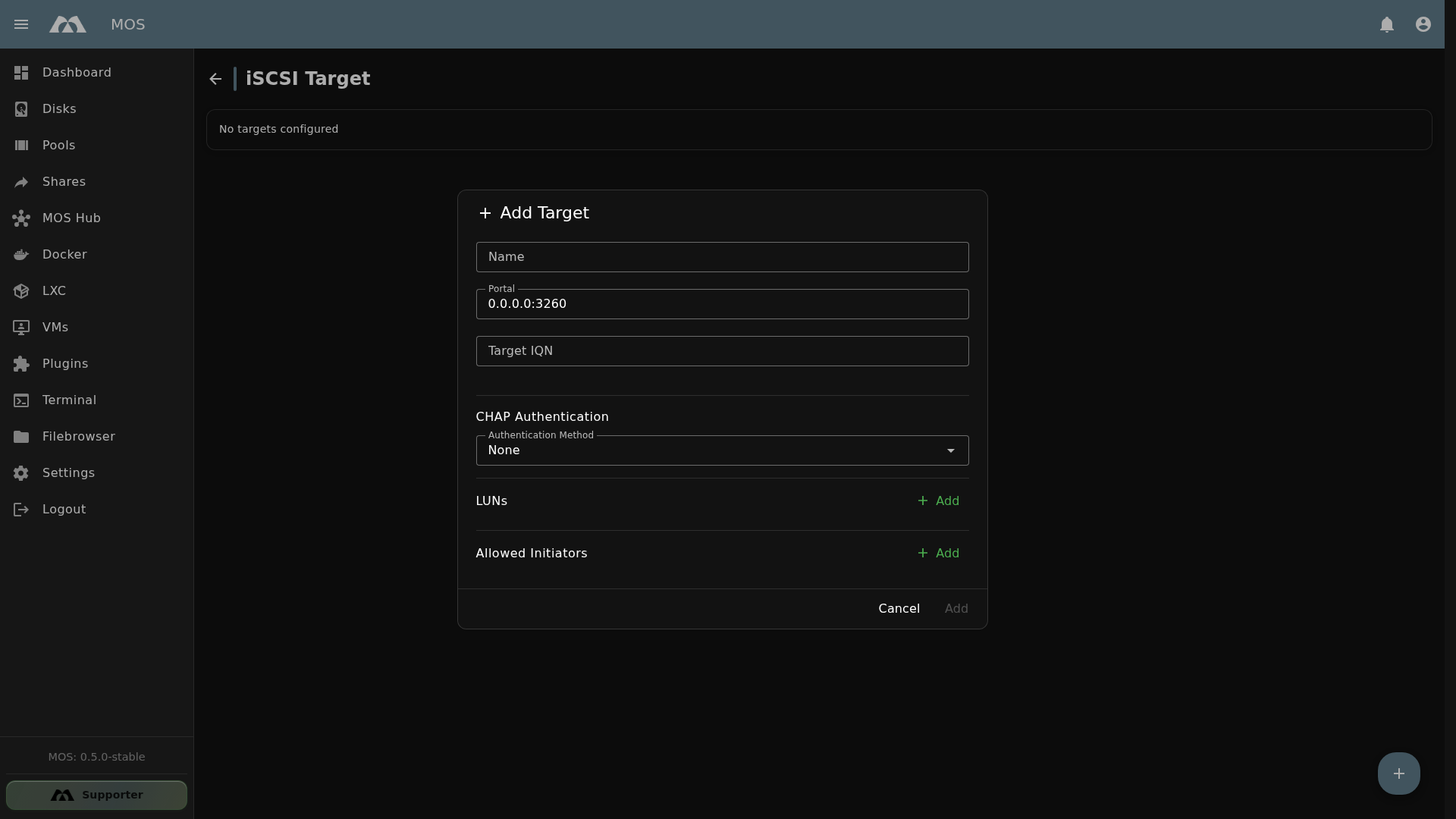
The Add Target dialog with default values.
Configuration Fields
| Field | Type | Default | Description |
|---|---|---|---|
| Name | Text | — | Name of the iSCSI target (e.g., target1) |
| Portal | Text | 0.0.0.0:3260 | IP address and port the target listens on. 0.0.0.0 = all interfaces. Default iSCSI port: 3260 |
| Target IQN | Text | — | iSCSI Qualified Name identifying this target (e.g., iqn.2026-01.mos:target1) |
| Authentication Method | Dropdown | None | CHAP authentication: None (no auth) or CHAP (username/password) |
| LUNs | Add (multiple) | — | Logical Unit Numbers — the storage volumes exposed by this target. Click Add to add LUNs |
| Allowed Initiators | Add (multiple) | — | List of initiator IQNs allowed to connect to this target. Click Add to add initiators |
| Cancel / Add | Button | — | Cancel or create the target |
Target IQN Format
The iSCSI Qualified Name (IQN) follows the format:
iqn.YYYY-MM.reverse-domain:name
Example: iqn.2026-01.net.mos-official:target1
Use a consistent IQN naming scheme. Include the date and a descriptive name to keep targets organized.
Authentication (CHAP)
When CHAP is selected as the authentication method, the target requires initiators to provide a username and password for connection.
| Option | Description |
|---|---|
None | No authentication — any initiator can connect (not recommended for production) |
CHAP | Challenge-Handshake Authentication Protocol — requires username and password |
Without authentication, any system that can reach the MOS server on port 3260 can access the iSCSI target. Always use CHAP authentication in production environments.
LUNs (Logical Unit Numbers)
LUNs are the actual storage volumes exposed by the target. Each LUN appears as a separate block device to the connecting initiator.
- Click Add to add a new LUN
- Each LUN can point to a different storage path or file
- LUNs are numbered automatically (0, 1, 2, ...)
Allowed Initiators
The Allowed Initiators list restricts which initiators can connect to the target.
- Click Add to add an initiator IQN
- Only listed IQNs will be able to connect
- Leave empty to allow all initiators (not recommended)
📋 Managing Existing Targets
Once targets are created, they appear in the iSCSI Target overview list. The list shows all configured targets with their name, IQN, and status.
🌐 Portal Configuration
The Portal field defines where the iSCSI target listens for incoming connections:
| Value | Meaning |
|---|---|
0.0.0.0:3260 | Listen on all network interfaces, port 3260 (default) |
192.168.1.100:3260 | Listen only on a specific IP, port 3260 |
0.0.0.0:3261 | Custom port (useful for multiple targets on different ports) |
Port 3260 is the standard iSCSI port defined in RFC 3720. Only change it if you have a specific reason (e.g., multiple iSCSI services on the same server).
⚠️ Important Notes
- Block-level access — iSCSI provides block-level storage, not file-level. The initiator formats and manages the filesystem.
- No concurrent access — A LUN should only be connected to one initiator at a time, unless using a cluster filesystem (e.g., OCFS2, GFS2)
- Network security — iSCSI traffic is unencrypted by default. Use CHAP authentication and restrict network access with firewalls
- Performance — iSCSI performance depends on network speed. Use Gigabit or faster networking for production workloads
- Firewall — Ensure port 3260 (or your custom port) is open on the MOS server firewall
📚 Best Practices
- Use CHAP authentication — Always enable CHAP for production targets
- Restrict initiators — Use the Allowed Initiators list to limit access
- Use specific portal IPs — Bind to a specific interface instead of
0.0.0.0when possible - Consistent IQN naming — Use a predictable naming scheme for targets and initiators
- Dedicated network — For best performance, use a dedicated network VLAN for iSCSI traffic
- Back up LUN data — iSCSI targets expose raw storage; ensure backups are configured separately
✅ Summary
The iSCSI Target feature enables MOS to serve block-level storage over the network.
Key points:
- Block storage over network — share disks/volumes via iSCSI protocol
- Portal configuration — define listen address and port (default:
0.0.0.0:3260) - CHAP authentication — optional username/password security
- LUNs — multiple storage volumes per target
- Allowed Initiators — restrict access to specific IQNs
- Standard port 3260 — default iSCSI port per RFC 3720
iSCSI Target is ideal for providing storage to VMs, other servers, or any system that needs block-level access to MOS storage.
Parts of this documentation were created with the assistance of AI tools. All AI-generated content has undergone review, but it may still contain inaccuracies, omissions, or outdated information.