🔄 Update System
The Update System menu provides comprehensive firmware and kernel management for MOS. Keep your system up-to-date with the latest features, security patches, and bug fixes.
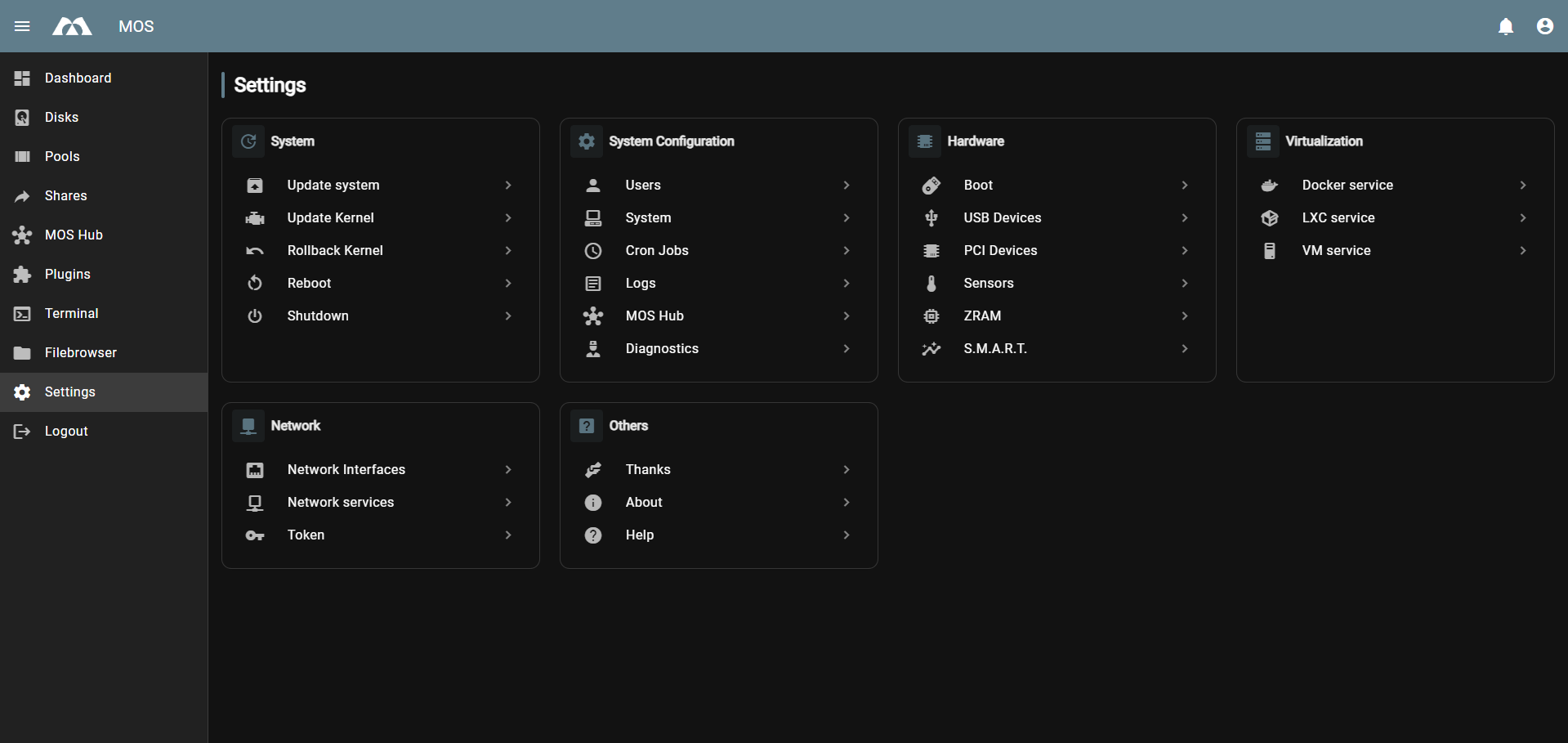
Access via: Settings → System Configuration → Update System
📦 System Updates
Update the MOS firmware to the latest version.
Current Version Info
Displays your current system status:
- MOS Version - Currently installed MOS version (e.g.,
0.0.78-alpha) - MOS Channel - Update channel (e.g.,
alpha,beta,stable) - MOS Kernel - Currently running kernel version (e.g.,
6.18.22-mos)
Select Target Firmware
Choose the firmware version to install:
Channel
Select the update channel:
- Alpha - Bleeding-edge features, may contain bugs. Currently used by the MOS Team for testing - should only be used in consultation with the MOS Team.
- Beta - Pre-release testing versions
- Stable - Production-ready releases (recommended for most users)
Release
Select the specific firmware release from the chosen channel.
Update Options
Update Kernel
- Enable to update the Linux kernel alongside MOS firmware
- Recommended for security and hardware compatibility improvements
Update Plugins
- Enable to update all installed plugins to their latest compatible versions
- Ensures plugins remain functional after MOS updates
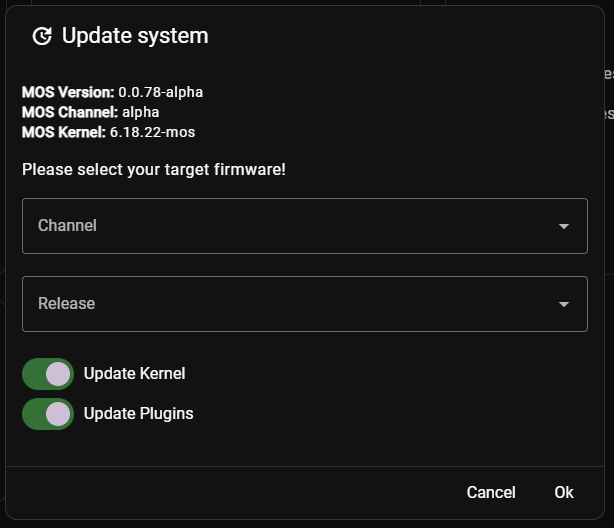
Enable both Update Kernel and Update Plugins for a complete system update.
Update Process
- Select desired Channel and Release
- Enable Update Kernel if desired
- Enable Update Plugins to update all plugins
- Click OK to start the update
- The system will download and install the update
- A reboot is typically required after updates
🐧 Update Kernel
Manually update or change the Linux kernel version.
Select Target Kernel Release
Choose a specific kernel version from available releases.
- Different kernel versions may offer:
- New hardware support
- Performance improvements
- Security patches
- Bug fixes

Kernel updates affect system stability and hardware compatibility. Ensure you have a backup before updating.
⏪ Rollback Kernel
Revert to the previously installed kernel version.
Useful when:
- The new kernel causes stability issues
- Hardware stops working after a kernel update
- You need to quickly restore a working system

You can only roll back to the immediately previous kernel version. Older kernel versions are not retained.
How to Rollback
- Click Rollback Kernel
- Confirm the rollback in the dialog
- The system will restore the previous kernel
- Reboot to complete the rollback
🔄 Automatic Update Checks
Configure automatic update notifications in the main System settings:
Settings → System Configuration → System → Update Settings
Update Checks
- Enable automatic checking for available updates
Update Check Schedule (Cron)
Define when the system checks for updates:
- Default:
0 1 * * *(daily at 1:00 AM) - Custom: Use standard cron syntax
Examples:
0 */6 * * *- Every 6 hours0 0 * * 0- Weekly on Sunday
📝 Update Best Practices
Before Updating
- Backup your data - Critical before any system update
- Check release notes - Review changes and known issues
- Schedule downtime - Updates may require reboots
- Ensure stable power - Don't update during power fluctuations
After Updating
- Verify system functionality - Check all services and shares
- Test critical features - Ensure your main use cases work
- Monitor logs - Check for any errors after update
- Update plugins if not done automatically
Troubleshooting Updates
| Issue | Solution |
|---|---|
| Update fails to download | Check internet connection and proxy settings |
| System won't boot after update | Use Rollback Kernel to restore previous version |
| Plugins not working | Update plugins or check compatibility with new MOS version |
| Update stuck | Wait 15-30 minutes, then hard reboot if necessary |
🆘 Getting Help
If you encounter issues with updates:
- Check the Release Notes for known issues
- Visit our Discord community for support
- Report bugs on GitHub Issues
Regular updates ensure your MOS system remains secure, stable, and feature-complete. We recommend enabling automatic update checks and reviewing available updates weekly.
Parts of this documentation were created with the assistance of AI tools. All AI-generated content has undergone review, but it may still contain inaccuracies, omissions, or outdated information.